HyShaders – Horror Edition
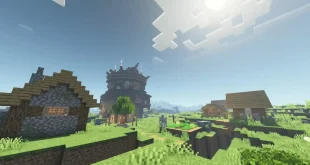
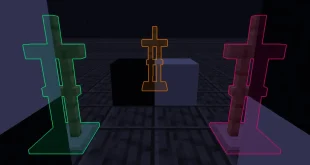
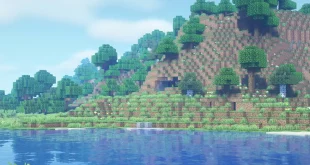
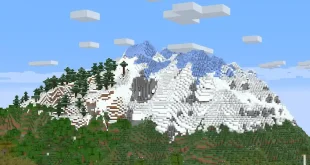
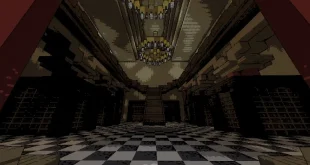
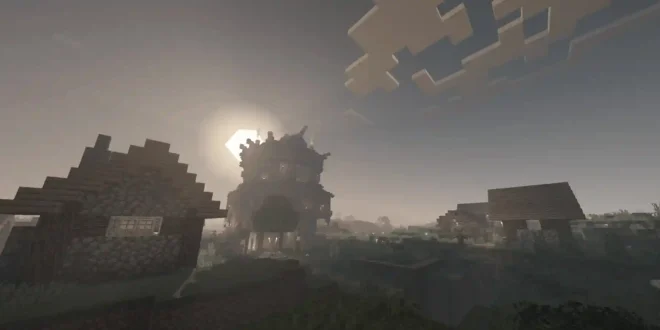
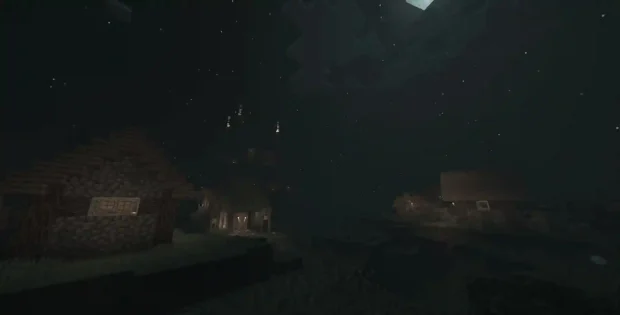
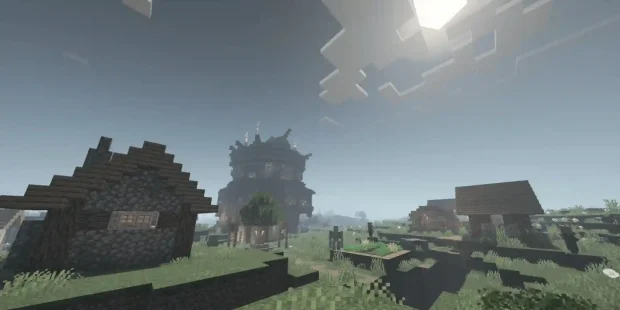
HyShaders – Horror Edition is a highly performant, lightweight, and customizable shader designed to deliver a chilling, immersive horror atmosphere in Minecraft. In addition to its horror theme, it fits seamlessly with rustic and medieval modpacks, making it a versatile choice for players seeking unique visual experiences.
Key Features
- Optimized Performance: Designed to run smoothly on a wide range of systems without sacrificing visual impact.
- Customizable Modes: Offers four distinct visual modes to suit different aesthetics and performance needs.
- Perfect for Themed Modpacks: Ideal for horror, rustic, and medieval resource packs or modpacks, enhancing immersion and atmosphere.
Shader Modes
- Stylized vs. Realistic:
- Stylized Mode preserves Minecraft’s classic blocky, pixel-based look while introducing atmospheric enhancements. This mode provides the highest performance.
- Realistic Mode transforms shadows and clouds to appear more lifelike, delivering a deeper and more dramatic environment. Slightly more demanding than Stylized Mode.
- Ultra vs. Lite:
- Ultra Mode pushes visual fidelity even further, offering advanced effects and enhanced realism for powerful devices.
- Lite Mode is an expertly optimized version that ensures excellent graphics with exceptional performance, suitable for most systems.
Installation Guide
- Download the HyShaders mod and extract its contents.
- Install Iris (a required shader loader for Minecraft).
- Place the downloaded shader files into your shaderpacks folder inside your Minecraft directory.
If the “shaderpacks” folder doesn’t exist, create one manually. - Start Minecraft, select your preferred shader version, and enjoy the new visuals!
Note
Manual installation is recommended, allowing you to choose between Lite or Ultra, Stylized or Realistic modes for a personalized experience.
By default, the automatic installation provides the “Lite Stylized” variant. If this matches your preference, you don’t need to change any settings.
Except for special cases, Minecraft Shaders are generally backward compatible, but not forward compatible.
Screenshots

- If you don’t know how to use Minecraft Shaders, please click to view the Shaders usage tutorial.